
Examine the relays
-
Examine the relays for black or rough surfaces:
- For XPR170® and XPR300®, remove the cover from the pilot-arc relay in the plasma power supply.
Figure 1. Location of the pilot-arc relay for XPR170 and XPR300 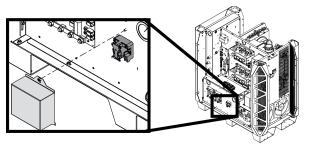
- For XPR460®, remove the covers from the pilot-arc relay and
the cooler-power relay in the plasma power supply.
Figure 2. Location of the pilot-arc relay and cooler-power relay for XPR460 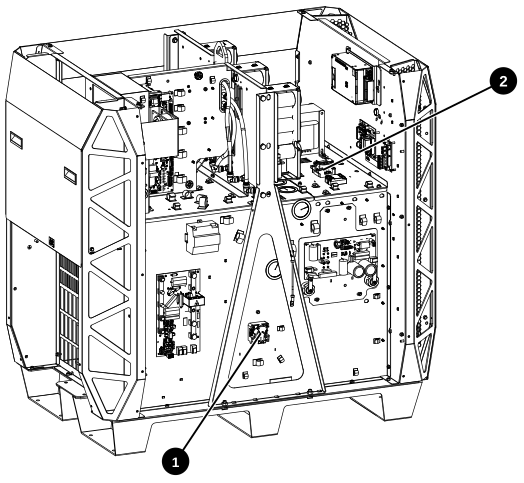
1 Pilot-arc relay 2 Cooler-power relay
- For XPR170® and XPR300®, remove the cover from the pilot-arc relay in the plasma power supply.