
Change system settings
Use the Powermax45 SYNC® setup menu to change system settings.
-
Push and hold the mode button until
S.U.
shows in the Light Emitting Diode (LED) display.
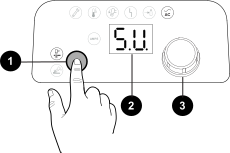
1 Mode button 2 LED display 3 Control knob - Release the mode button.
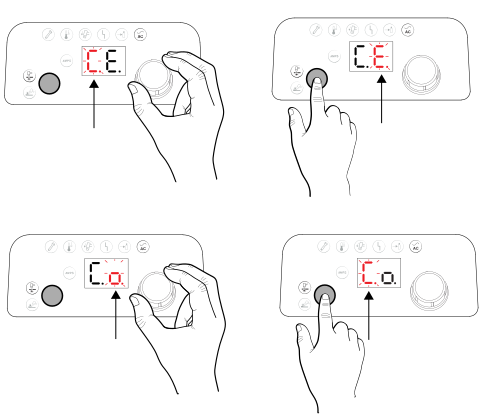
- Turn the control knob to show other setup options.
- Push the mode button to select a setup option.
- Turn the control knob to change the value for the setup option.
-
Push the mode button to select the new value.
- Select E.t.
- Press the mode button to save your changes and exit the setup menu.
- Do a cold restart of the plasma power supply.
