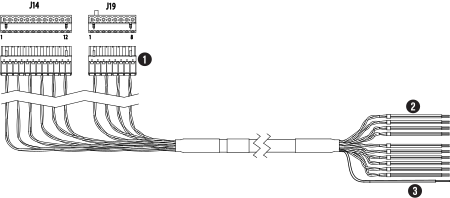
This information prepares you to connect the plasma power supply to the
Computer Numerical Control (CNC) with discrete cables.
You can use serial
RS-422
or the XPR® web interface through
Wi-Fi®
or
Ethernet
Local Area Network
(LAN)
with discrete to operate the cutting system.
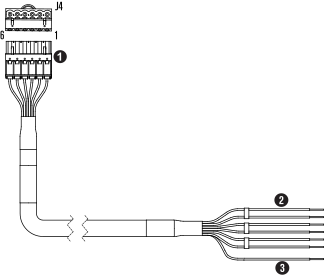
To use Arc Voltage Control (AVC) with a serial RS-422 cutting
system,
connect
to pin 5 and pin 6
of
J4 on the expansion Printed Circuit Board (PCB) to get access to the
estimated arc voltage. For information about how to configure the arc voltage output
scale
and
offset through serial or EtherCAT®,
refer
to the CNC Communication Protocol for the XPR Cutting System
(10085793).
For information about signals and protocols, refer to XPR discrete
communication in the CNC Communication Protocol for the XPR Cutting
System
(10085793).
Hypertherm® recommends a minimum distance of
one
meter (3.3 feet) between the plasma power supply and other system components, or
between the plasma power supply and an obstacle.