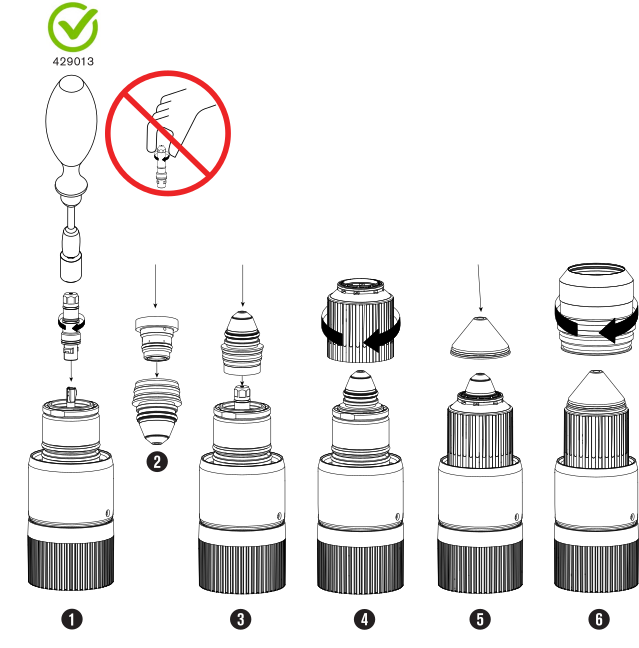
Make sure that the consumables are installed correctly on the torch.
Notice
A LOOSE OR OVERTIGHTENED ELECTRODE CAN CAUSE DAMAGE TO THE
TORCH
If you do not correctly install and tighten the electrode, torch damage can
occur.
A tool is necessary to correctly install and tighten the torch electrode. Do not
use your hands. Hypertherm® recommends tightening the
electrode to a torque value of 2.3 N∙m – 2.8 N∙m (20 lbf∙in – 25 lbf∙in).
The torch head in the XPR® torch-assembly
kit has 460 A mild steel consumable parts
installed on it. Refer to Consumable starter kits if necessary.
For information about how to select consumables for your cutting or marking
applications, refer to the XPR Cut Charts Instruction Manual
(809830).
Remove the power from the cutting system:
Set the line-disconnect switch to the OFF position.
Make sure that the power-indicator Light Emitting Diode (LED) is not illuminated on the plasma
power supply or other system components.
Select the best consumables for your cutting or marking application.
Apply a thin layer of silicone lubricant to each O-ring on all
consumables.
Make sure that the O-rings are shiny. However, too much lubricant can prevent
gas flow. Remove unwanted lubricant if found.
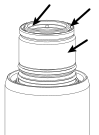
Remove the torch from the torch receptacle.
Use a clean, lint-free cloth to clean the internal and external surfaces of the
torch.