
LED behavior during a cartridge change
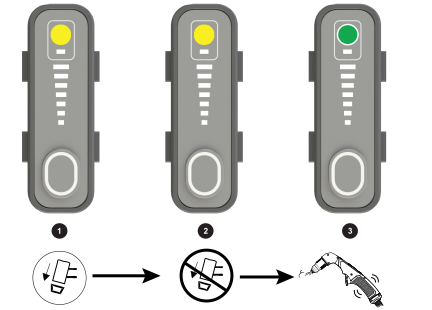
On the plasma power supply:
| 1 (Yellow) | When you set the torch-lock switch to the yellow lock (X) position while the plasma power supply is ON, the Torch Cap Light Emitting Diode (LED) on the front panel illuminates and a 0-50-2 code shows. |
| 2 (Yellow) | After you install the cartridge and set the torch-lock switch to the green "ready to fire" position, the Torch Cap LED extinguishes. |
| 3 (Green) | Hand torch: After the torch puts out the warning puffs of air, the 0-50-2 code extinguishes. |