
Remove the solenoid valve

  1. Complete the following procedures:
    1. Set the power switch to OFF (O), disconnect the power cord from the power source, and disconnect the gas supply.
    2. Remove the plasma power supply cover and handle.
    3. Remove the fan and fan shroud.
  2. Push-to-disconnect the 2 gas supply hoses from the solenoid valve assembly.
    Note:

    Disconnect the gas supply hoses from the air filter assembly and 90° fitting if you are also replacing the hoses.

  3. Unplug the solenoid valve connector from J8 on the power Printed Circuit Board (PCB).

    Work the wires free from the center panel pass-through and from the plastic clip.

  4. Press up from underneath the solenoid valve assembly to release it from the center panel.

    Press on the plastic housing to remove the valve. Do not press on the valve assembly PCB.
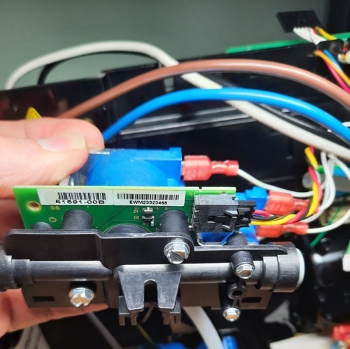
    The image shows the circuit board with callouts.