The power switch is ON, but the power LED is off
The power switch is set to ON (I), but the Power ON Light Emitting Diode (LED) is off. The voltage to the control circuits is not sufficient, or a power component has a short circuit.
Voltage to the system is missing or incorrect
- Make sure that the power cord is connected correctly to the power outlet or line-disconnect switch box.
- Make sure that the power is on at the main power panel or at the line-disconnect switch box.
- Make sure that the circuit breaker did not open (trip).
- Make sure that the line voltage is not too low (more than 15% below the rated voltage).
The power switch or power PCB is defective
Do Troubleshooting for input voltage faults to do a check of the incoming voltage, the power switch, and the power Printed Circuit Board (PCB).
The solenoid valve is defective
Do Troubleshooting for solenoid valve pressure sensor faults (2-11-n).
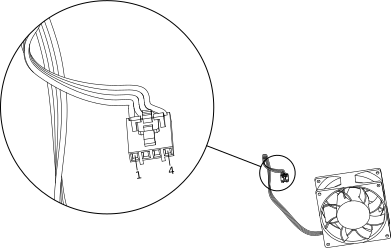
The fan is defective
-
Use pin 1 (red) and pin 4 (black) on the J7 fan connector, and connect the fan to an
external 12 V or 24 V power source.