Troubleshooting for fan faults (3-10-n)

A 3-10-0 or 3-10-1 fault code identifies a problem with the system's internal fan.

Fault codes and fault LEDs

Fault code Fault LEDs Torch LED Description Stops the system from operating?
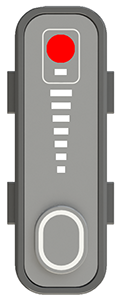
3-10-0 The image shows the System Fault Light Emitting Diode.

ON

The image shows the torch Light Emitting Diode illuminated red.

Red

The fan speed is less than the minimum speed. Yes
3-10-1 The fan is not operating correctly.

Corrective action for fan faults (3-10-0 and 3-10-1)

  1. Set the power switch to OFF (O), and disconnect the power cord from the power source.
  2. Remove the plasma power supply handle and cover.
  3. Remove the component barrier.
  4. Clean the fan assembly.
  5. Make sure that the J7 fan connector is fully connected to the power Printed Circuit Board (PCB).
  6. Make sure that the fan wires are not pinched and do not have damage.
  7. Remove the fan and fan shroud from the plasma power supply.
  8. Use pin 1 (red) and pin 4 (black) on the J7 fan connector, and connect the fan to an external 12 V or 24 V power source.
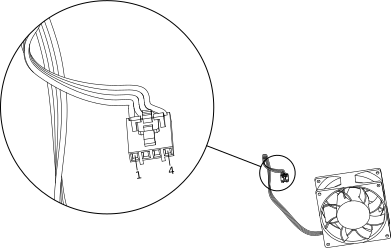
    The image shows the pins on the fan connector to connect to a power source.
  9. Does the fan operate correctly when it is connected to an external power source? OptionDescription
    If yes... Replace the power PCB.
    If no... Replace the fan.