
Install the plasma power supply cover and handle
- Set the front and rear panels in place.
-
Make sure the ground clip is connected to the ground wire.
The clip should be set in place to accept the screw from the handle.
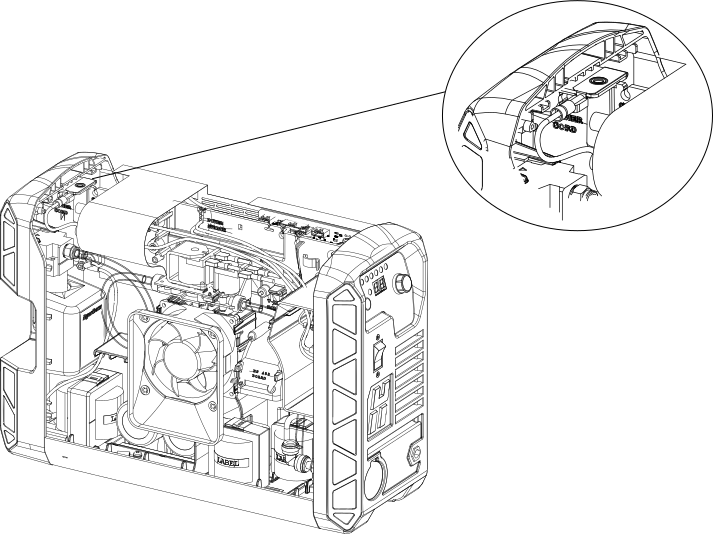
-
Make sure the component barrier is in place and secured to the main power PCB
with 2 plastic pins.
-
Slide the cover back on.
- Make sure the louvers in the cover align with the fan.
- Be careful not to pinch any wires.
-
Tilt the front and rear panels to reattach the handle.
Make sure to put the handle over the holes in the top of the cover and put the ends of the handle below the edges of the panels.
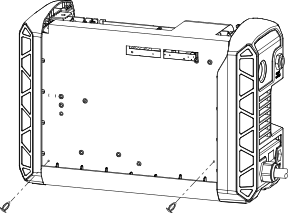
- Install the 2 screws that secure the bottom of the front panel and rear panel and tighten to 1.7 N∙m (15 lbf·in).
- Install the 2 screws that attach the cover and handle and tighten to 2.3 N∙m (20 lbf·in).
- Reconnect the gas supply and the power cord.
