
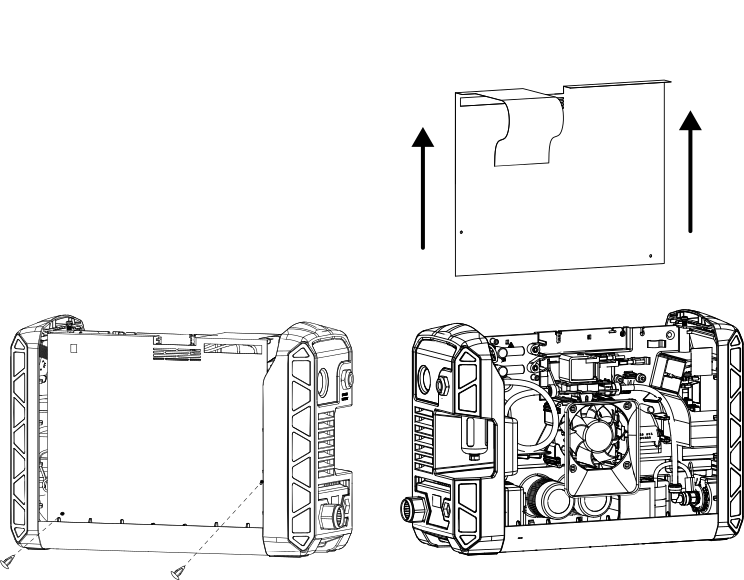
Remove the component barrier
-
Remove the 2 plastic pins that secure the component barrier to the main power
Printed Circuit Board (PCB).
Slide the component barrier off.
Slide the component barrier off.