Install the component barrier

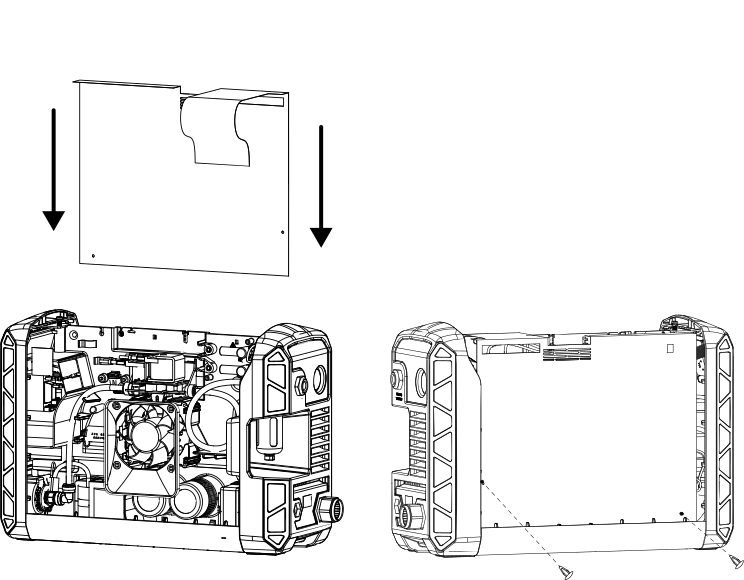
  1. Set the component barrier in place.
    Image of the replacement of the component barrier.
  2. Secure the component barrier to the main power Printed Circuit Board (PCB) with the 2 plastic pins.
  3. Wrap the extended portion over the power cord connection points and behind the air hose.
    Note:

    If the machine interface port and RS-485 serial interface are installed, it may be easier to tuck the extended portion of the barrier into the middle of the gas hose loop.
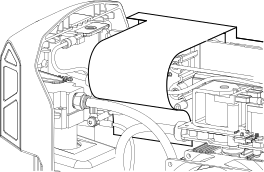
    Detailed view of the component barrier wrapped around the wires.
  4. Complete the following procedures:
    1. Install the plasma power supply cover and handle.
    2. Reconnect the gas supply and the power cord.