
Connect to the plasma power supply with Ethernet LAN (wired)
Do these steps to connect the plasma power supply to the Computer Numerical Control (CNC) with an Ethernet Local Area Network (LAN) cable.
- Hypertherm® sells interface cables that have been tested with our cutting system. Refer to EtherCAT® and Ethernet LAN interface cables in the Parts List.
- If you supply your own cables, choose cables that are Cat5e certified. Refer to Requirements for EtherCAT and Ethernet LAN cables.

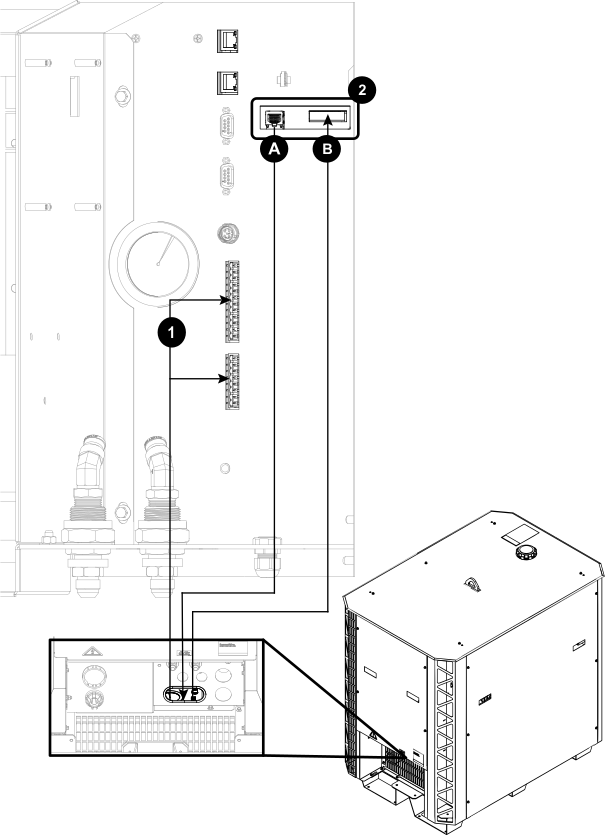
| 1 | Discrete cable in from the CNC: Necessary with Ethernet LAN to operate the cutting system. |
|---|---|
| 2A | Ethernet LAN port |
| 2B | Expansion PCB connectors: Necessary for the redundant remote on-off feature, alternate 24 VDC power input, and analog estimated arc voltage output. |