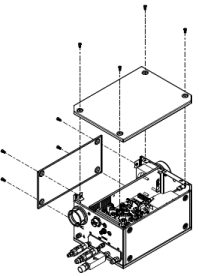
Remove external panels from the system components
| Warning | |
|---|---|
  | |
Before you remove any panels, make sure that all electric power is removed
from the cutting system.
Note:
When the remote on-off switch is set to OFF (disabled), electric power stays
ON (active) to the following parts:
- Power-indicator Light Emitting Diode (LED) on the front of the plasma power supply
- Control Printed Circuit Board (PCB)
- Control transformer (can be different on input and output)
- 24 V power source
- 120 VAC on the power distribution PCB
- 220 VAC on the power distribution PCB
- 120 VAC to the input side of the 48 V power relay
-
Remove the rear panel from the plasma power supply.
 Note:
Note:For installation usually it is necessary to remove only the rear panel.
-
Remove external panels from the gas connect console.
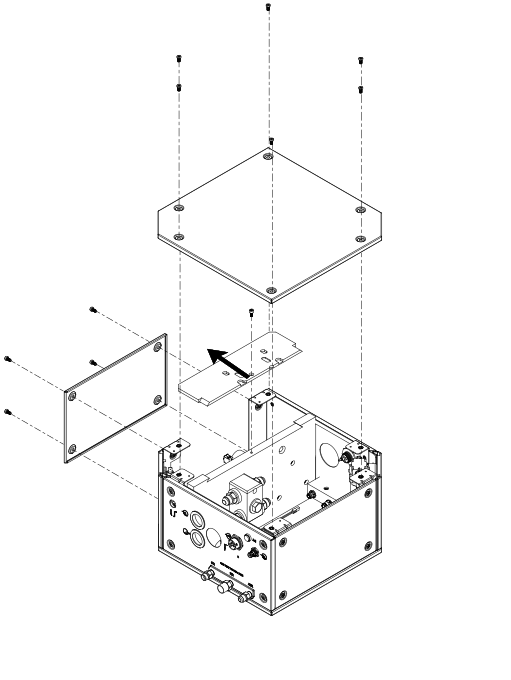 Note:
Note:If your gas connect console has a top insulation panel, you must move the panel horizontally to remove it. Not all gas connect consoles have a top insulation panel.
-
Remove external
panels
from the TorchConnect™ console.