
Select an existing wireless network
Use these steps to connect to an existing wireless network.
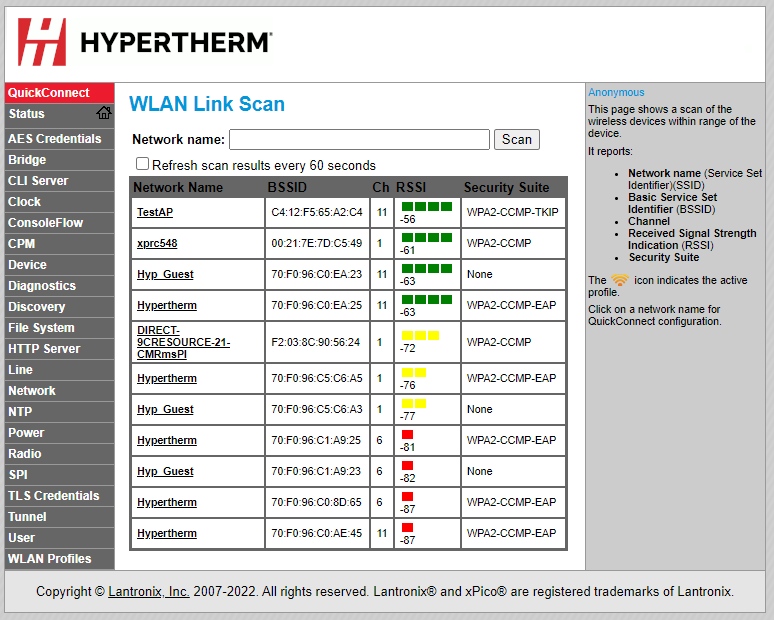
When you choose this option, the plasma power supply scans for and shows the available access points.
-
On the Device Setup screen, choose
QuickConnect.
-
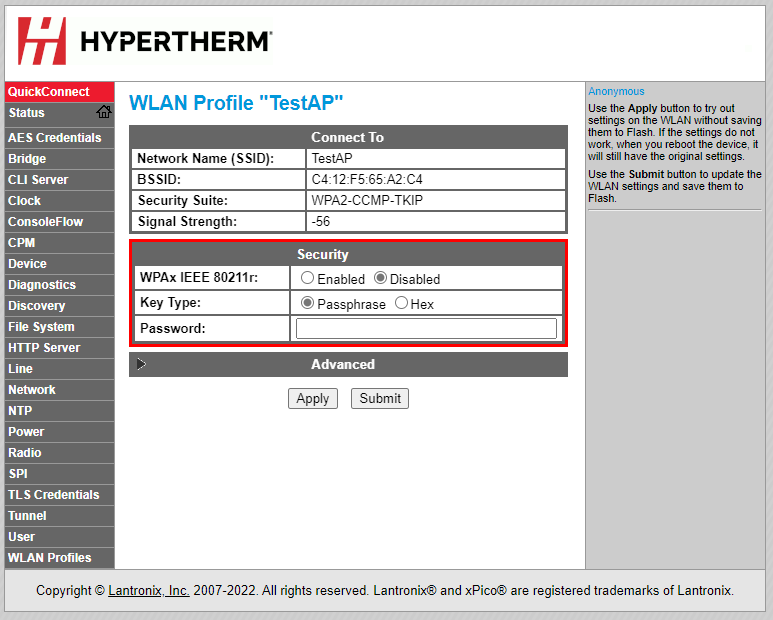
On the WLAN Profile screen, enter the network password,
then choose Submit.
- The network is now connected.
- If you are monitoring with the XPR® web interface through Wi-Fi®, you are done.
If you want to operate the cutting system, you must connect to the plasma power supply with discrete. Refer to Connect to the plasma power supply with discrete.