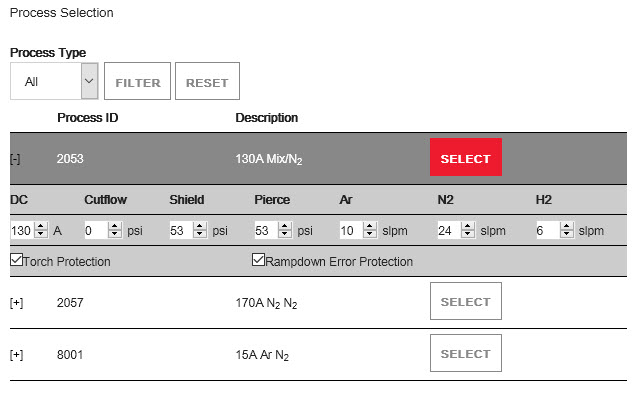
Operate screen
On this screen, if you have the device that is in control of the plasma power supply, you can select a process ID that aligns with the material, thickness, and process type.
You can customize some parameters by choosing the + to open the menu. The plasma power supply keeps the same parameters until a new process is selected or until the current process is set again with new parameters. The current process can be set again by removing power from the plasma power supply or by setting the remote on-off switch to the OFF position during the gas-purge state. If manual-set mode is enabled, the process parameters will change only after a new process is selected.