Gas system screen
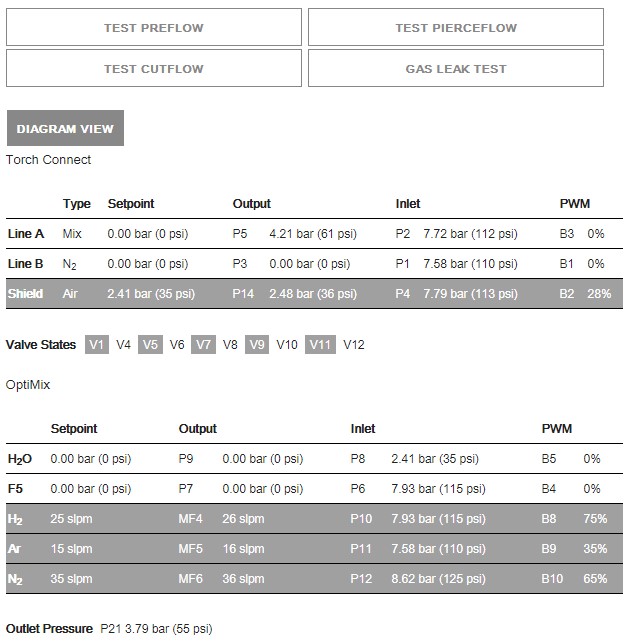
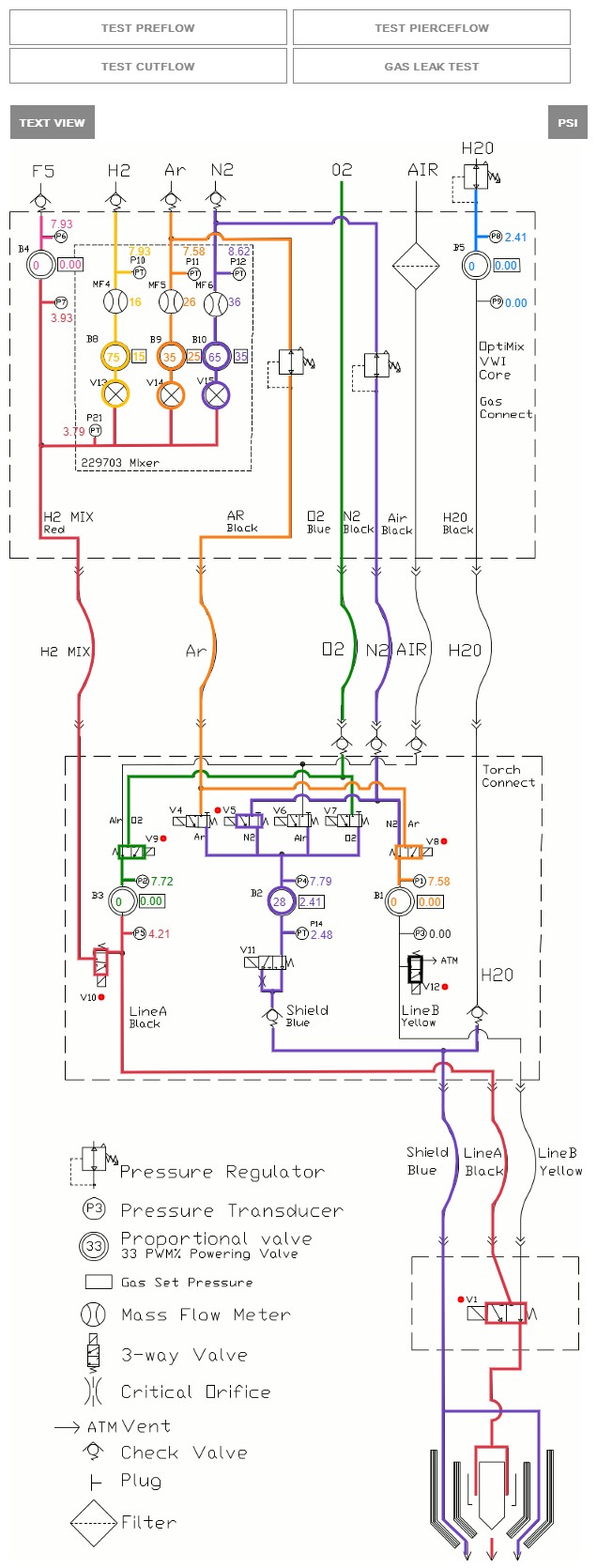
On this screen you can monitor the status of the TorchConnect™ console and the gas connect console. You can also see which valves are active when the gas is flowing.
There are two view options for this screen.
- Text view
-
In text view, text identifies real-time gas pressures and currently active valve states. When a valve is active, the screen shows it as gray.
Both bar and psi units of measure are shown on this screen.
- Diagram view
-
In diagram view a diagram shows:
- Real-time gas pressures and currently active valve states.
- Pressurized volumes and energized valves that show color when a valve is active and lines that change opacity as the amount of pressure changes.
- Pressure measurements and setpoints near the proportional valves and duty cycle (Pulse-width Modulation (PWM)) sensors identified by the diagram.
This screen gives you the option to show either bar or psi units of measure.
- Test Preflow
- Test Cutflow
- Test Pierceflow
- Gas Leak Test
The gas leak test can be done with all gas connect consoles. Refer to Do a gas leak test.
The test starts when you choose the button. When the button is active, the screen shows it as red. Active valves show gray. The gases on Line A, Line B, and shield align with the process ID that you selected. The gases flow for 60 seconds, unless you choose the same button or choose another button that stops the test.