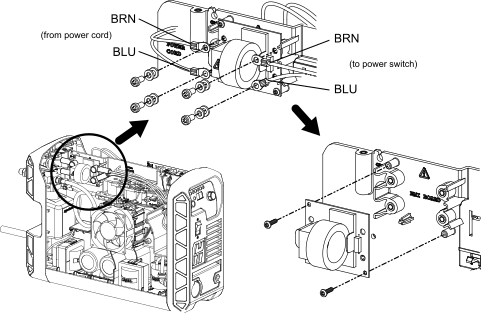
Let the system release internal
voltages before you touch components on the EMI
PCB (CE/CCC 1-phase models only). There can be
live voltages on the EMI PCB after the system is
set to OFF.
Complete the following procedures:
Set the power switch to
OFF (O), disconnect the power cord from the power source, and disconnect the gas
supply.