Put the TorchConnect console in position
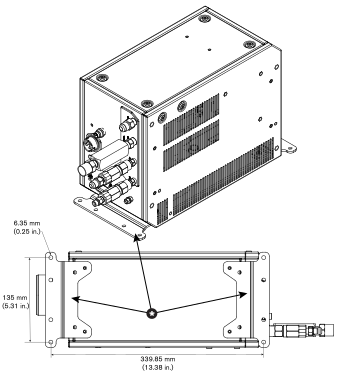
There are three options to put the TorchConnect™ console in position. The factory-installed location for the mounting brackets is on the bottom panel of the console. But, you can move the brackets to the side panel of the console.
- Requirements to put system components in position
- Worksite requirements for system components
- A side position with the torch-lead connector on the bottom minimizes the risk that leaked water or coolant will accumulate in the console. Water or coolant in the console can damage internal electrical components.
- A side position with the torch-lead connector on the top makes it necessary to install a support that holds the lead at a minimum bend radius of 15.25 cm (6 in.).
-
Use the mounting brackets on the
bottom
or side panel of the TorchConnect console
to put the console in position, as shown.
The following images show the three options to put the TorchConnect console in position:
Figure 1. The three options to put the TorchConnect console in position 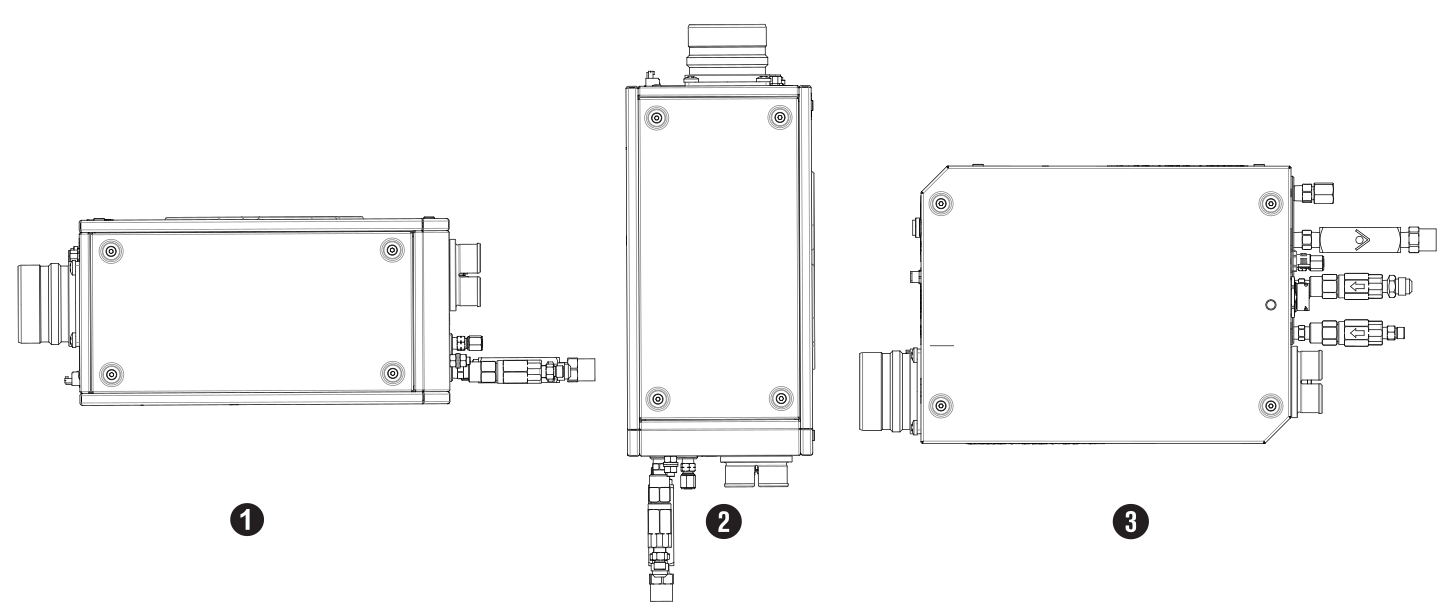
1 Bottom 2 End 3 Side Figure 2. Mounting-bracket locations and dimensions for the bottom-panel position 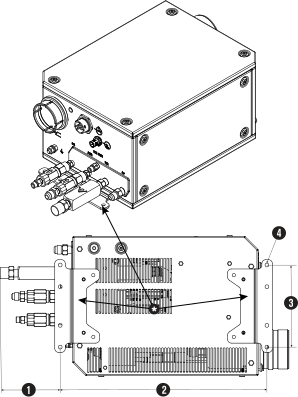
1 83.41 mm (3.28 in.) 2 339.85 mm (13.38 in.) 3 135 mm (5.31 in.) 4 6.35 mm (0.25 in.) Figure 3. Mounting-bracket locations and dimensions for the side-panel position